Provision users from Okta
Overview
Okta can be utilized to provision users and groups to SimCorp Dimension application.
The integration between Okta and SimCorp Dimension is built around an industry-standard protocol known as SCIM (System for Cross-domain Identity Management).
Supported features
The following provisioning features are supported by SimCorp Dimension Okta integration:
- Create users: Users in Okta that are assigned to the SimCorp Dimension application within Okta are automatically added as users in SimCorp Dimension
- Update user attributes: When user attributes are updated in Okta, they will be updated in SimCorp Dimension
- Deactivate users: User that was disabled in Okta will be disabled in SimCorp Dimension
- Group push: Groups and their members in Okta can be pushed to SimCorp Dimension
NOTE:
User import,Group importandGroup linkingfeatures are not currently supported. If you would like to have those capabilities please contact support.
Prerequisites
Before beginning the configuration, ensure the following prerequisites are met:
- You have admin access to Okta.
- Your SimCorp contact person provided you SCIM API key.
Configuration
Enable SCIM Provisioning in Okta
- Ensure SimCorp Dimension app is registered in your workspace
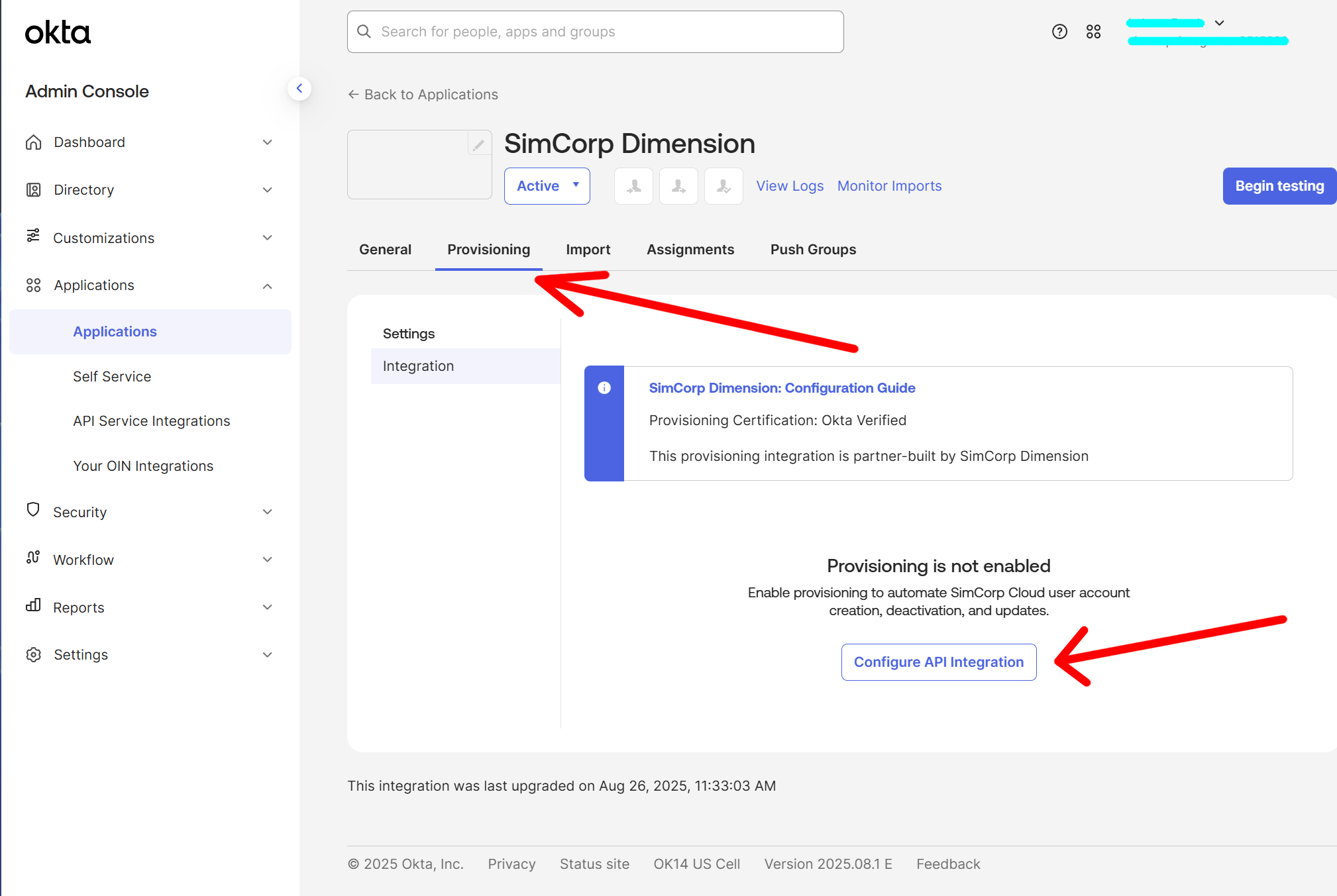
- Go to the Provisioning tab > Integration > Click Configure API integration button.
-
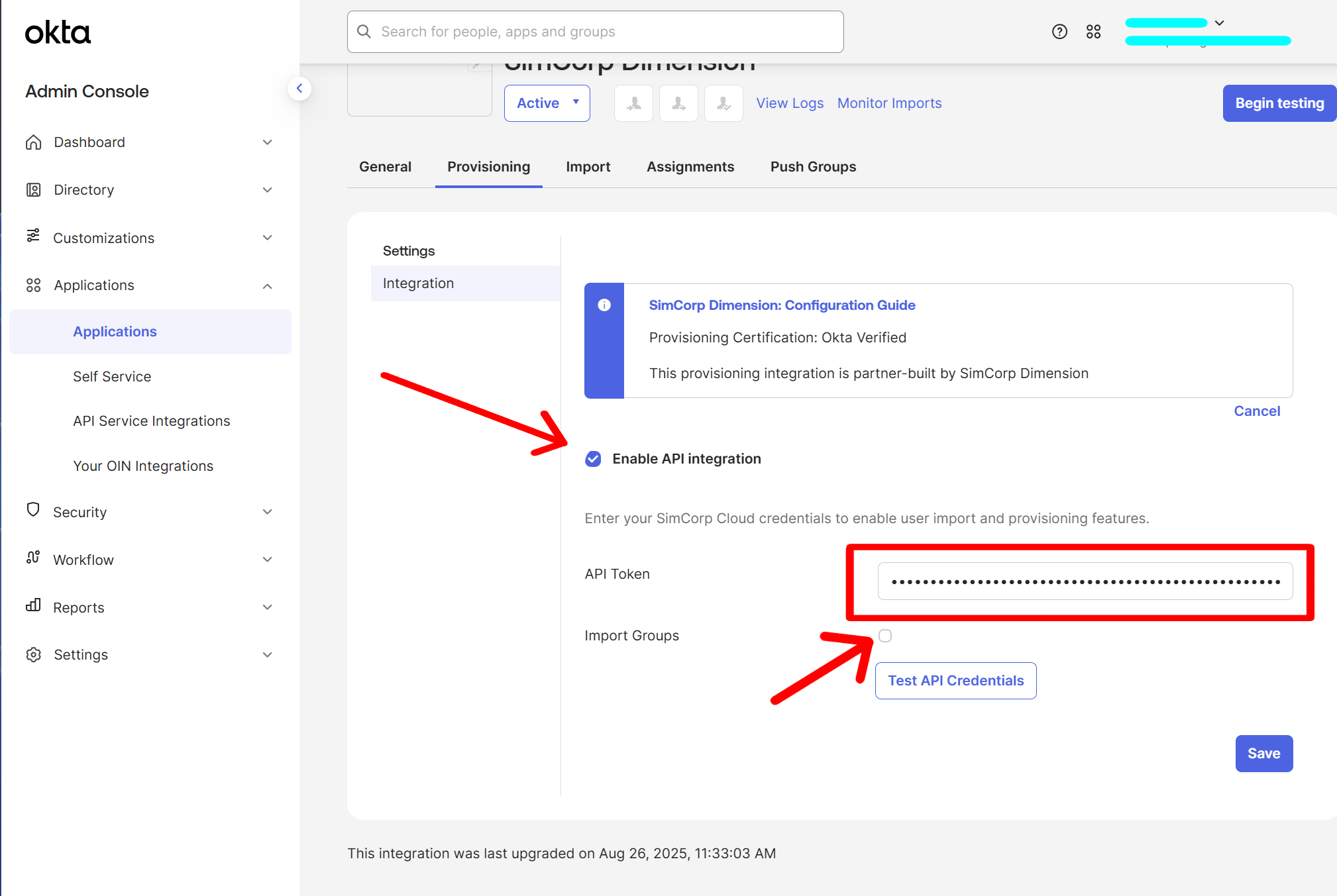
Select Enable API Integration. Enter your api key in the API Token box. Disable Import Groups.
NOTE: You should get API key from your SimCorp contact person
-
Click Test API Credentials to ensure connectivity. You should see confirmation that verification was successfull.
- Click Save.
Configure Provisioning Features
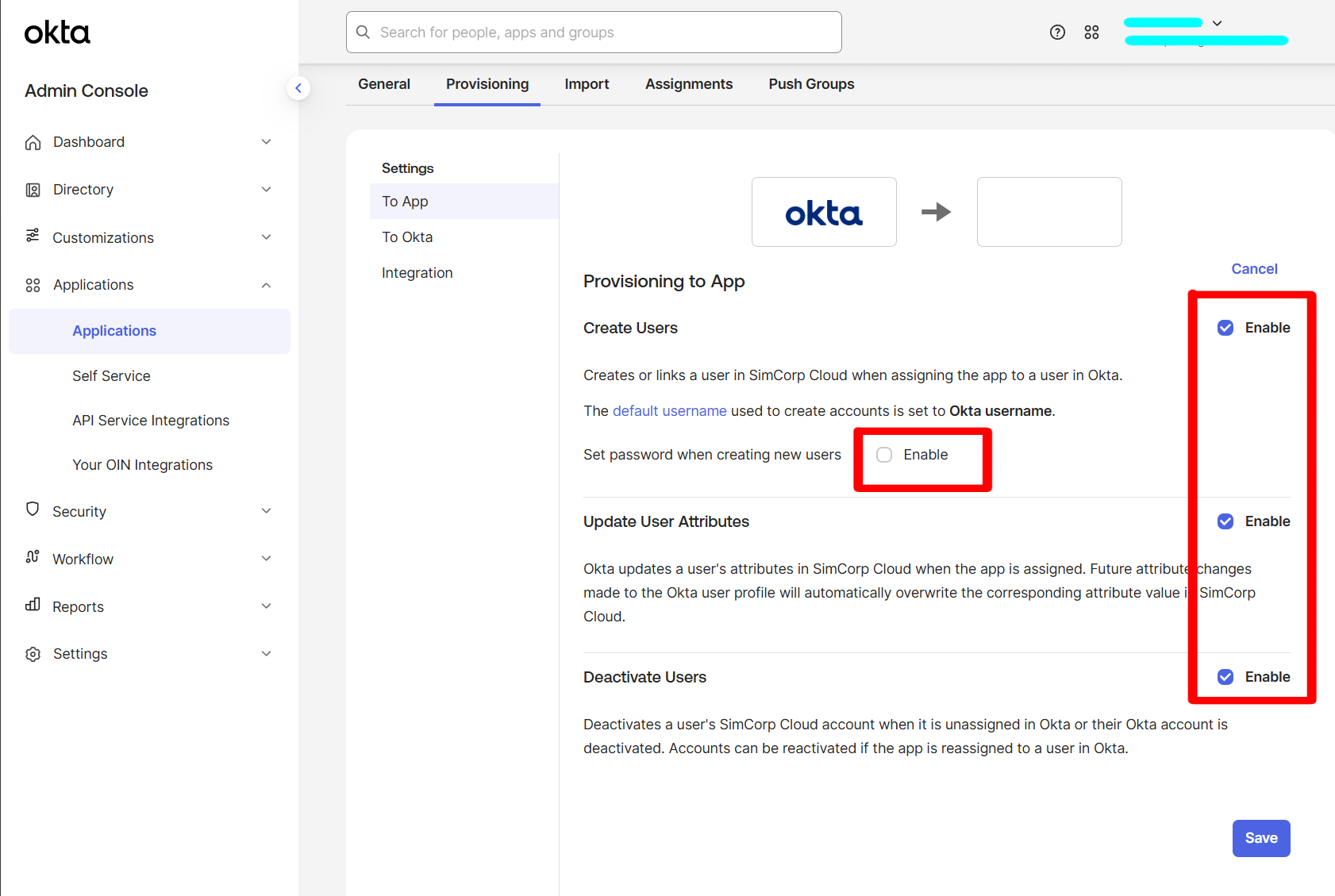
- Go to Provisioning tab > To App > Click Edit.
-
Enable the following options:
- Create Users
- Update User Attributes
- Deactivate Users
Disable Set password when creating new users
-
Click Save.
Attribute Mapping
- Go to Provisioning tab > To App > Attribute Mappings.
-
Ensure that the required attributes are defined and there are no other-unsuported mappings defined.
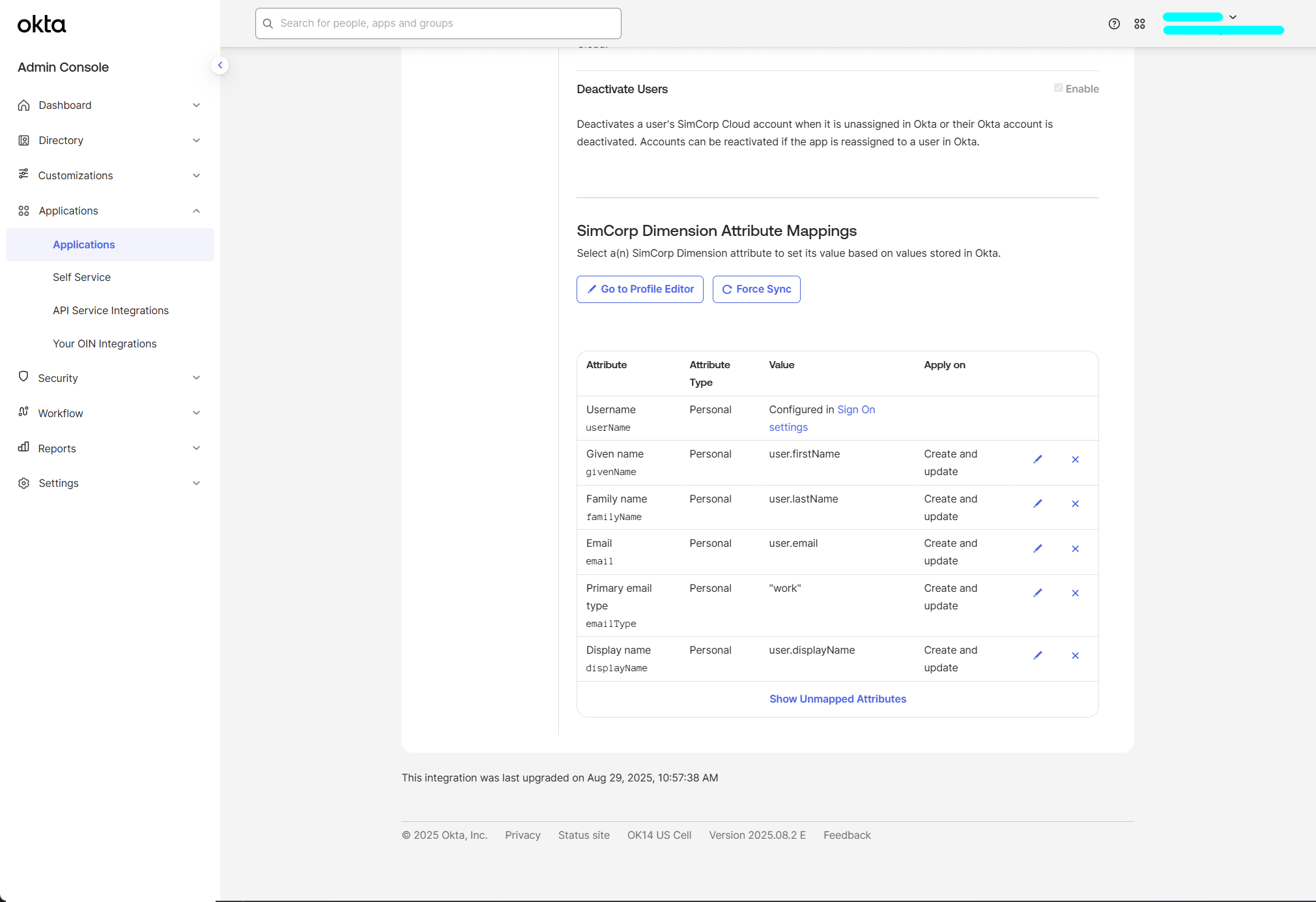
NOTE: Primary email type should have value set to 'work' for all users
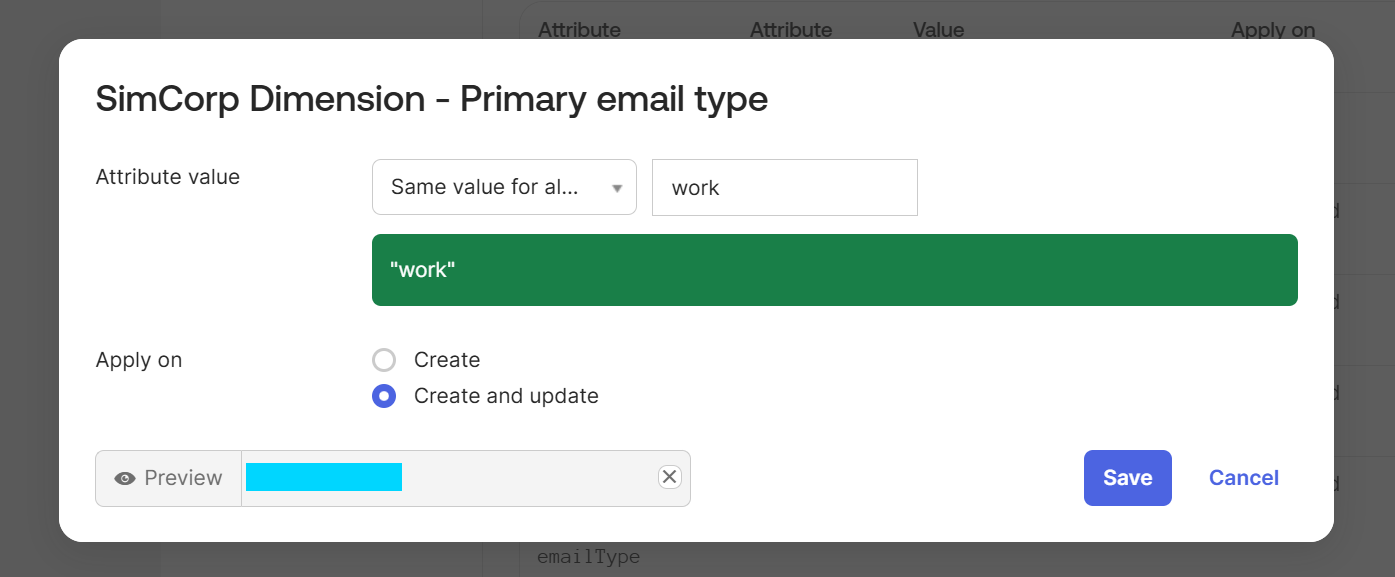
-
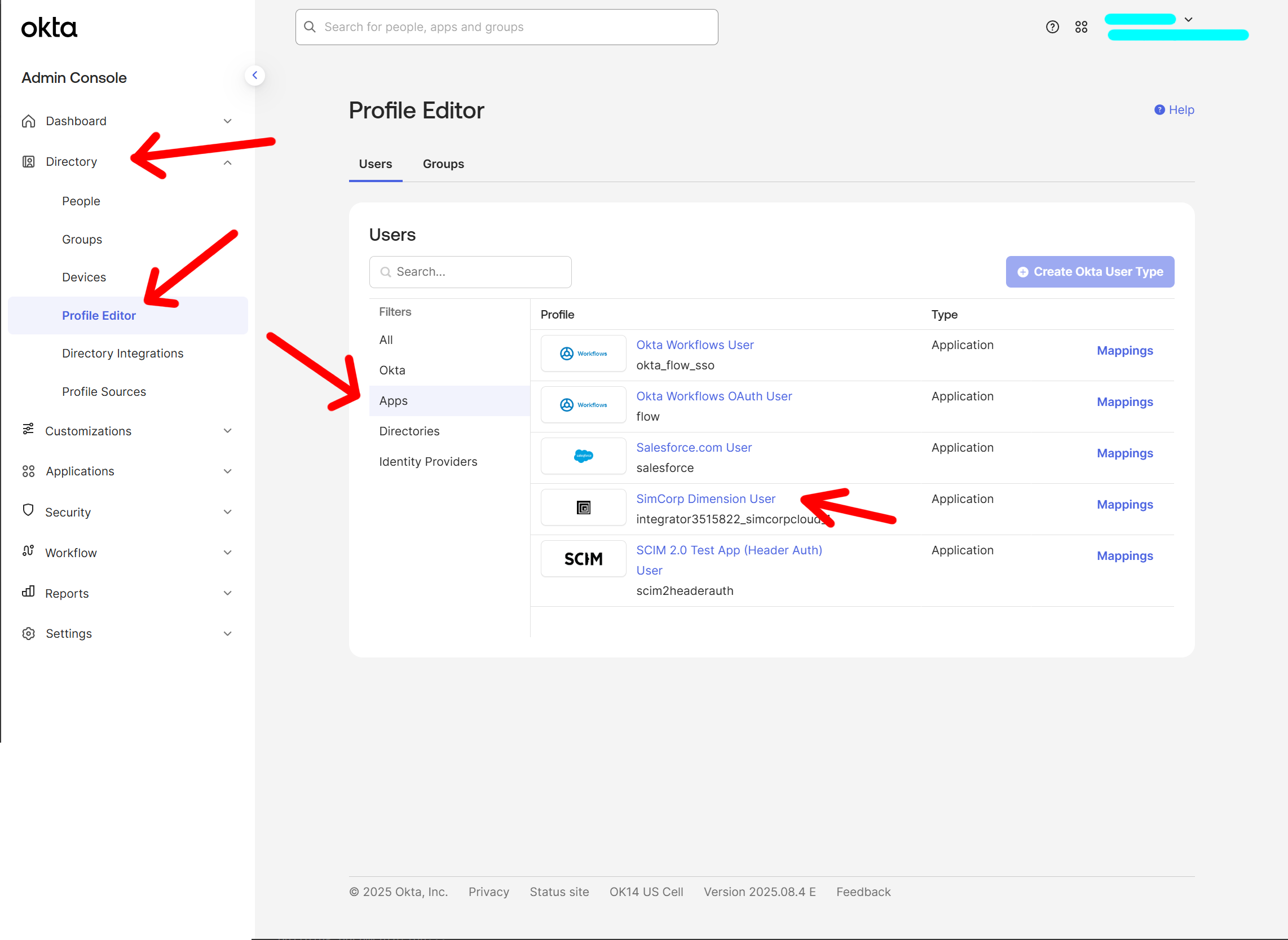
In Okta Admin Console go Directory > Profile Editor > Apps > Select SimCorp Dimension User.
- Ensure that only supported attributes are defined in the Attributes section.
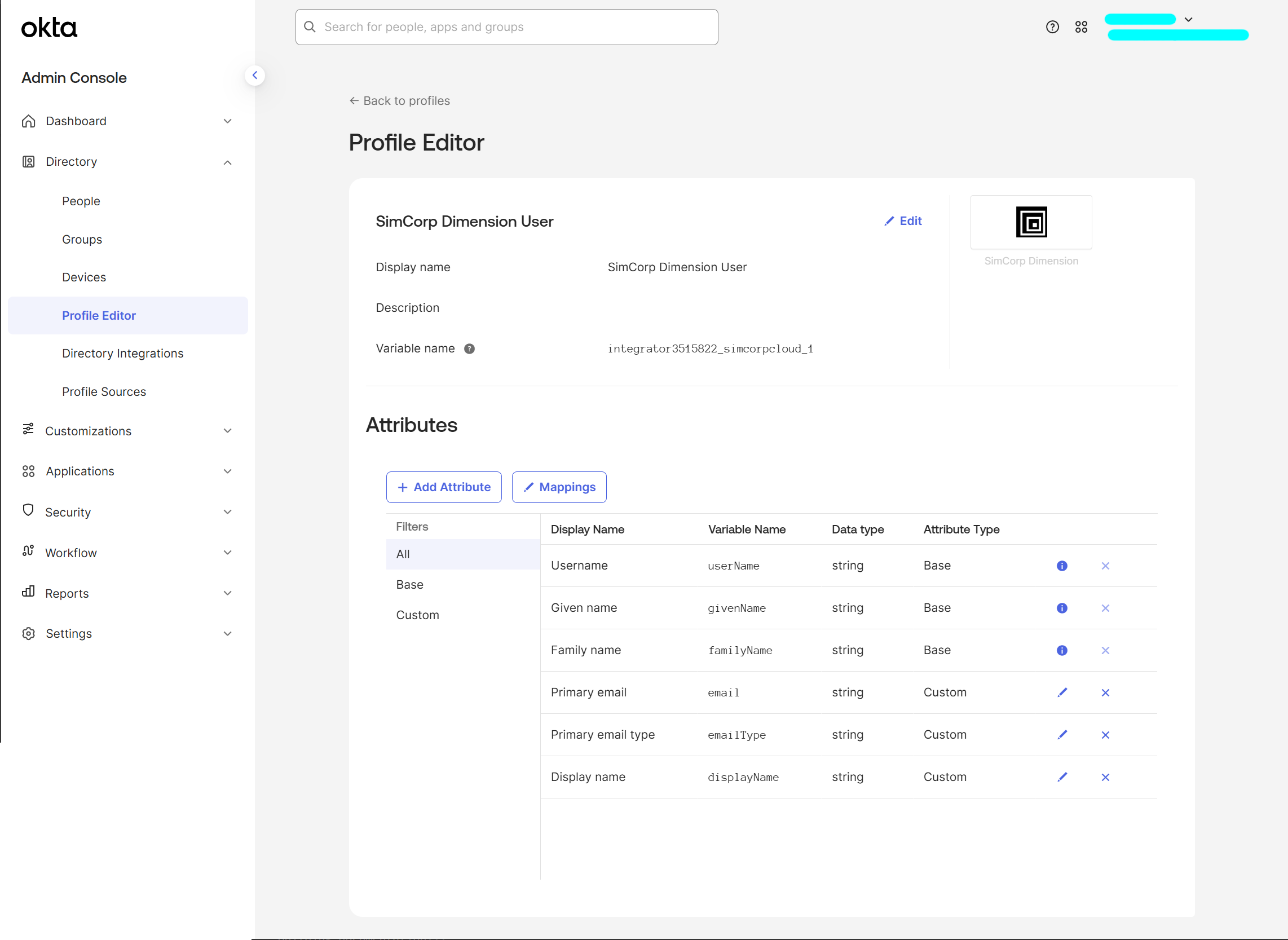
Supported Mappings
| SCIM Attribute | Requred | Default Okta Attribute | Notes |
|---|---|---|---|
| userName | Yes | userName | should be a valid mail address |
| givenName | Yes | user.firstName | |
| familyName | Yes | user.lastName | |
| Yes | user.email | ||
| emailType | Yes | - | same value for all users: work |
| displayName | Yes | user.displayName |
Provision users
Please refer to the Okta documentation.
Troubleshooting & Logs
- Use Okta’s System Log to inspect provisioning events and troubleshoot errors.
- Common issues may include:
- Invalid SCIM token
- Attribute mismatches
- For detailed SCIM request/response logs, contact SimCorp support.
Support
If you encounter issues or need assistance, please contact your dedicated contact person in SimCorp.